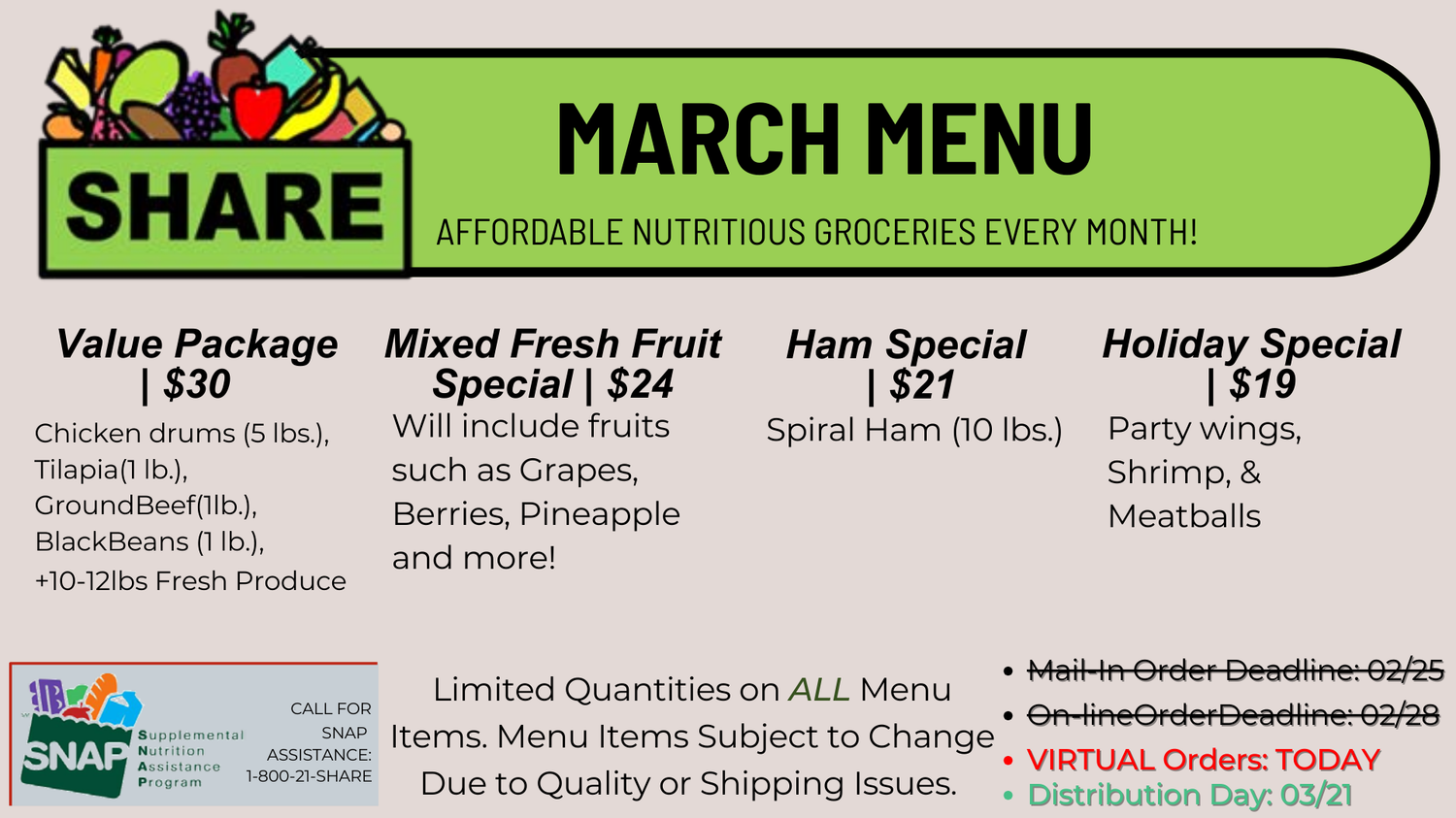
SHARE Food Network helps anyone save money on nutritious food by providing groceries at a 50 percent discount. SHARE offers fresh fruit, vegetables and protein items each month with the help of volunteer host sites that distribute grocery packages in local communities and neighborhoods.
February SHARE orders will be taken in person Sunday, March 01, 2026 immediately after Church service in Room 113. Please submit the order form along with your payment when you are dropping off orders to Sargent or completing your order in person. Please observe the March 01, 2026 online order deadline for completing your order via ServantKeeper. SHARE Orders will be ready for pick-up on Saturday, March 21, 2026 between the hours of 9:00am and 11:00am. Volunteers are welcomed
Thank you for your support and may God bless you!
*Effective Immediately*
Persons placing SHARE Orders who mail-in payments to SMPC should write on their envelopes the words, “SHARE”, “SHARE Program”, or something referencing SHARE and note in the memo section of the check: donation, or purchase order.
**Using ServantKeeper to Place SHARE Orders**
The amount for the account should be the total for all packages selected. The note field on the payment-review page should list the package selections. Please use the following instructions to place your order. Online orders will use the Servant Keeper website:
https://giving.servantkeeper.
You must sign up with a valid user email and password. You will have to verify your email to login. If you do not already have a password, select password reset.
Value Package
Pork Chop Special
Breakfast Special